Agents that run solvers, not just describe them.
Simulation work scatters across desktops and cluster queues, and six months later nobody knows which run validated which revision. Solve & Simulate puts solver execution inside the harness: configured in plain language, tracked as first-class records, linked to the requirements they answer.
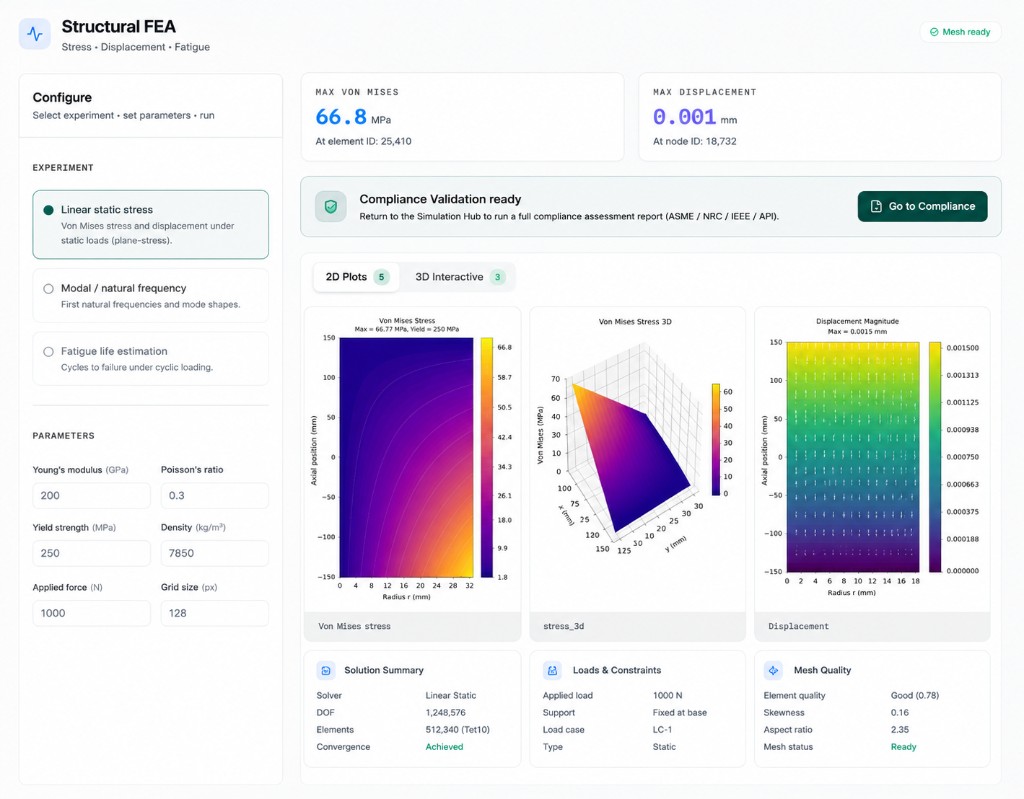
From prompt to tracked run.
Plain-language setup
Describe the analysis; the agent proposes solver, geometry source, fidelity, and boundary conditions — you review and launch.
Run history as record
Every run is a first-class artifact: inputs, duration, status, results — searchable and citable, never a loose file on someone's machine.
Parameter sweeps
Sweep design variables systematically. The agent manages the batch, collects results, and summarizes where the envelope breaks.
Requirement linkage
Runs attach to the revisions and requirements they validate. “What proved this?” always has an answer.
Failure triage
Failed runs come back with the agent's read on why — mesh, convergence, inputs — and a proposed retry, not just an exit code.
Results into reports
Key figures flow directly into Verify & Report with their provenance attached. No screenshot archaeology at writeup time.
Specify. Launch. Track. Link.
Specify
State the engineering question. The agent drafts a run configuration from your models and prior setups.
Launch
Runs execute on your compute — local, cluster, or cloud — under the harness's tracking.
Track
Status, history, and results live in the workspace, tied to the project instead of a personal folder.
Link
Results bind to revisions and requirements in the knowledge graph, ready for verification and handoff.
Solve & Simulate questions.
01Which solvers are supported?+
02Does the agent decide what to simulate?+
03Where does the compute run?+
Every run tracked. Every result linked.
A 30-minute walkthrough of agent-run simulation on a workflow like yours.